Scan the family’s old prints, sharp and without glare. Find out when, where and who – and let the people who remember tell the stories. Arv keeps it all together on your iPhone, in files the whole family can open.
Coming soon to iPhone
Free · No account · No server · No tracking · Everything can be exported
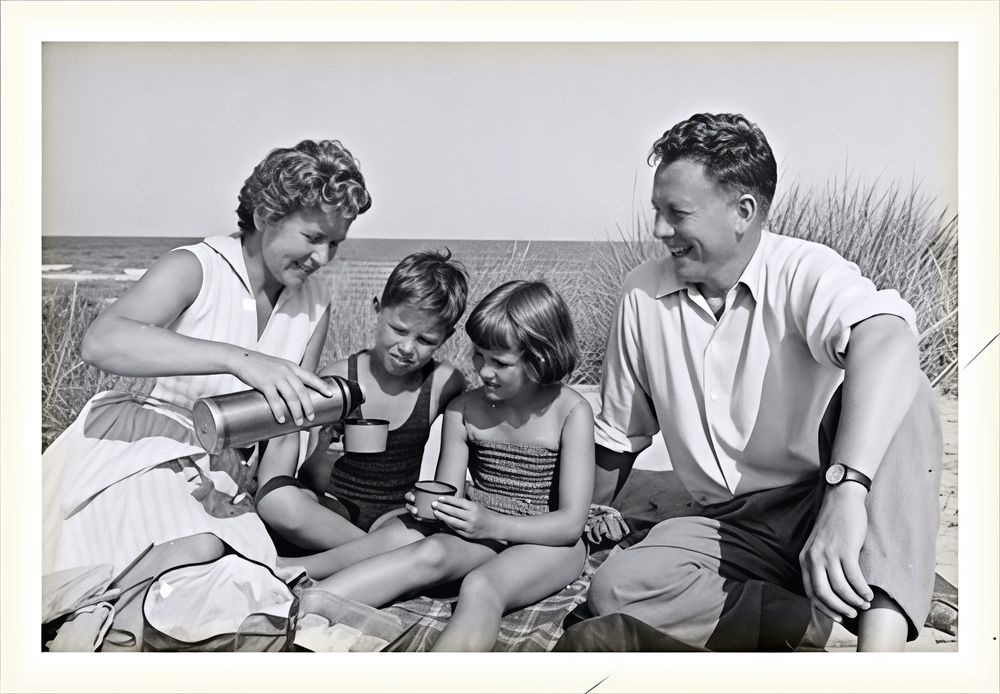
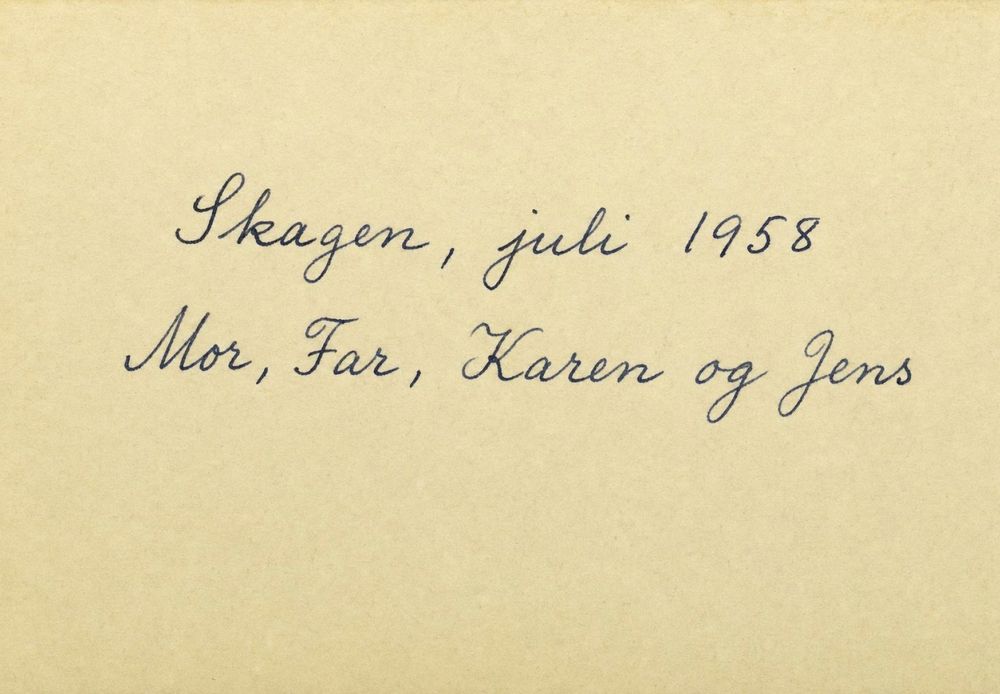
On the back: “Skagen, juli 1958 – Mor, Far, Karen og Jens” (Danish for “Skagen, July 1958 – Mum, Dad, Karen and Jens”). Arv reads it, so the photo is filed under July 1958, in Skagen, with the names suggested.
When: July 1958
Where: Skagen, Denmark
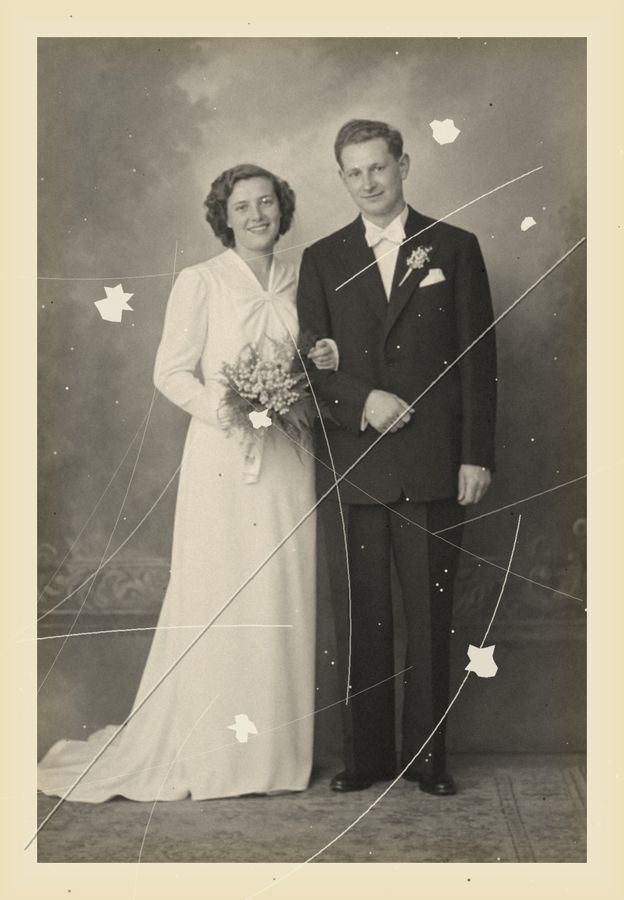
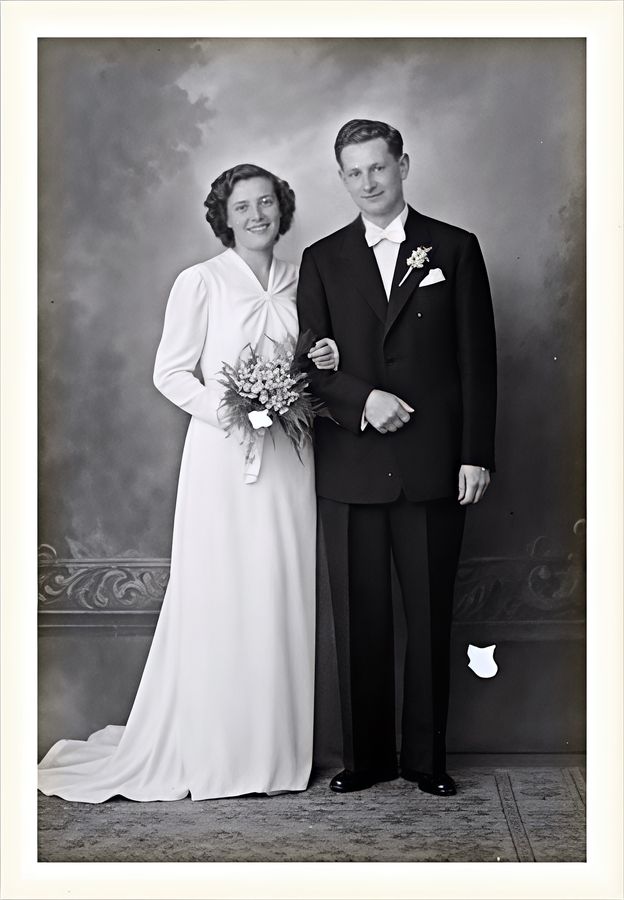
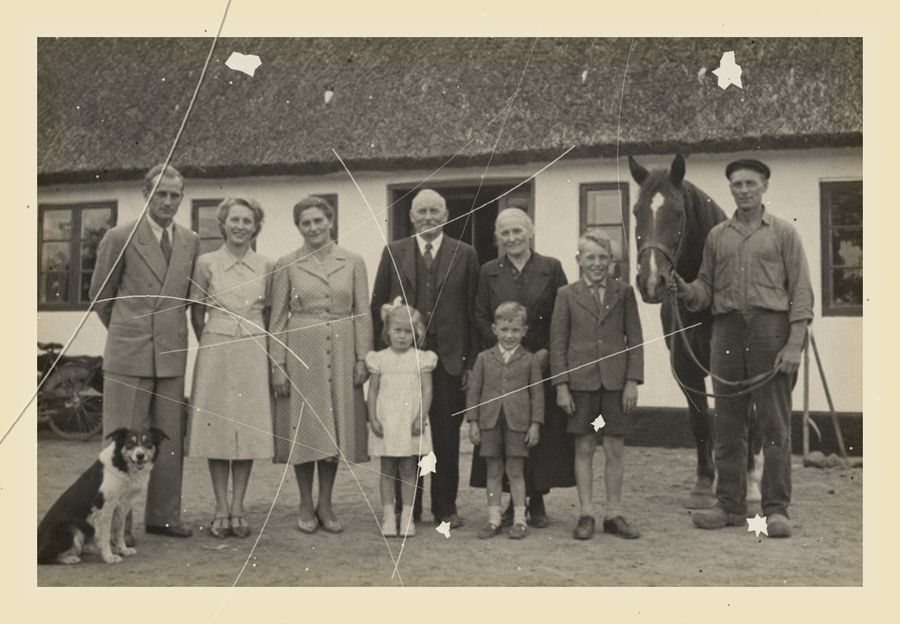
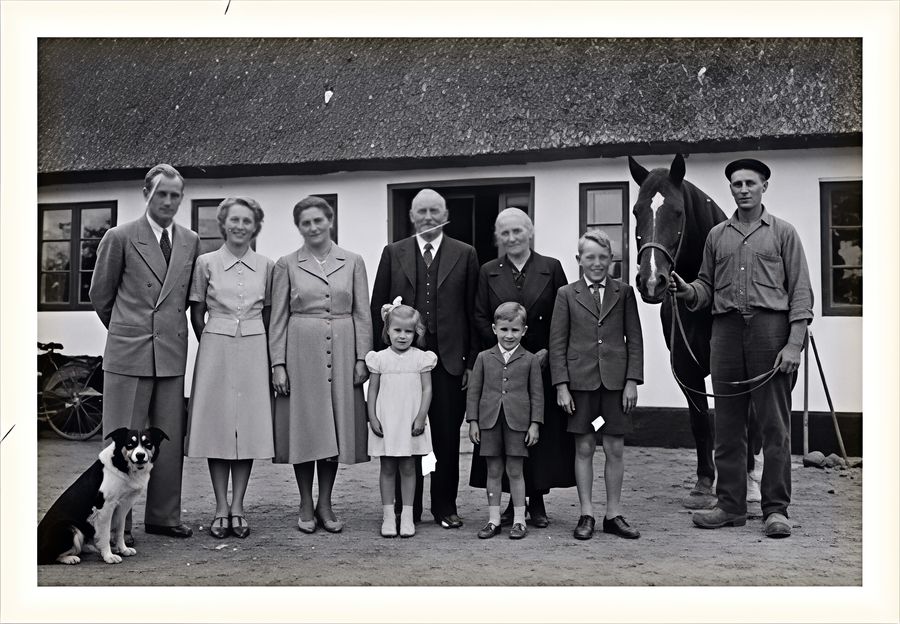
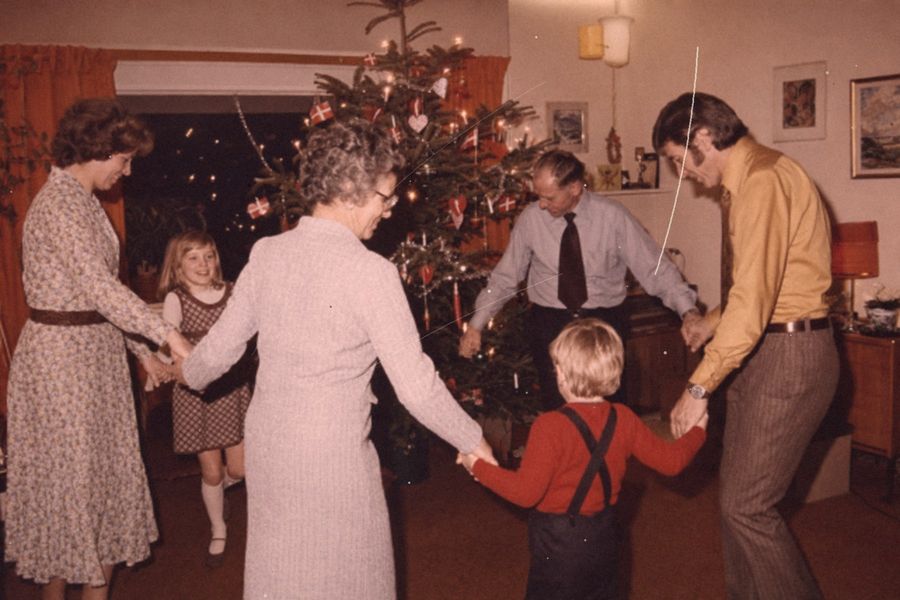
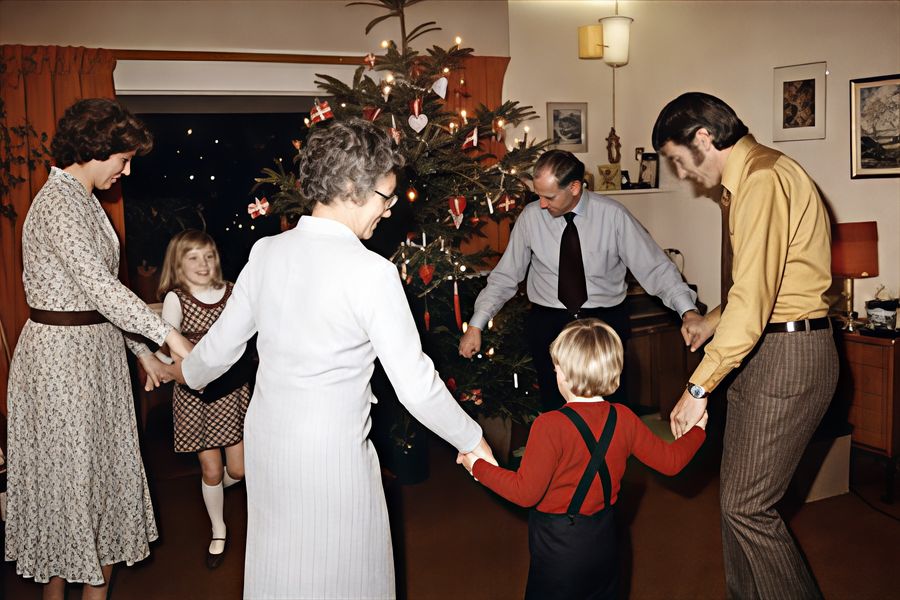
Scratches, dust and fading – gone
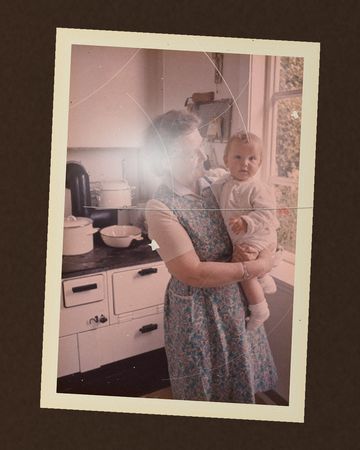
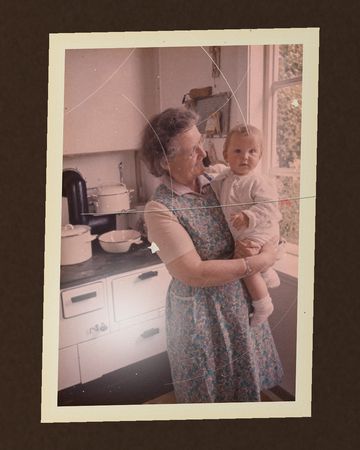
Arv finds scratches, cracks and dust and fills them in, brings faded colours back and makes the print sharper – without redrawing the faces. It happens on your iPhone, and the original scan is always kept.
The scanArv
The scanArv
The scanArv
Drag to compare
Scan the whole drawer
Scanning is the heart of Arv: quick and guided, print after print, straight from the album or the shoebox. Every print comes out sharp, without glare and with its colours back.
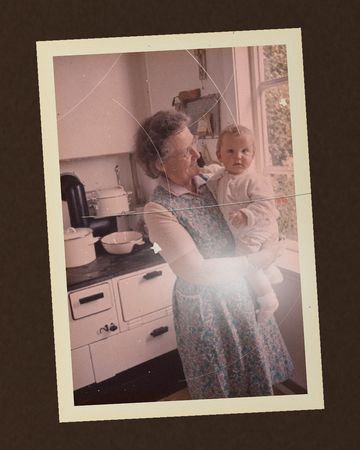
Hold the phone over the print, tap once and move the ring over the dots. Arv takes the photos by itself and combines them, so the glare from the lamp disappears – even through the plastic of old albums.
Turn the print over and Arv takes the back too, and knows which front it belongs to.
The edges are found, and the print is straightened, sharpened on your iPhone and given its faded colours back. The untouched scan is always kept as well.
A quick mode for matte prints and backs – and several prints on one album page.
Three photos from three angles – the glare lands somewhere new each time. Arv uses the parts without it.
When, where and who
A photo nobody can place is a photo that gets forgotten. Arv gathers the clues.
Arv reads the handwriting on the back and uses it as the caption and the date.
If the date is in orange digits in the corner, the way many cameras printed it, Arv reads that too.
Not sure of the year? Mark it as approximate – “c. 1965” – and the file says it’s an estimate.
Places come from Arv’s own list of towns, islands and countries – no internet needed – so the photo shows up on the map in Photos.
Tap a face and type a name, and Arv gathers every photo of Grandma in one place. Arv finds faces but never recognises who they are – you write the names.
Tell
The names and the stories are usually in someone’s head – Grandma’s, an uncle’s, Mum’s. Sit down together, tap Tell and swipe through the prints while they talk.
Arv records the conversation and writes it down afterwards, on your iPhone.
Each part of the story is filed with the photo that was on the screen when it was told.
Arv suggests names, places and years from what was said. You decide what’s kept.
The voice and the words stay with the photo – for the grandchildren too.
That’s Mum in Skagen. We cycled out to Grenen every single day.
Grandma, telling
The family
The photos show who they were. The family shows how they belong together – and that’s often the first thing to be lost.
Choose “The family” in Tell and ask the questions: parents, brothers and sisters, grandparents, children. Arv writes the answers down on your iPhone and shows the people who were mentioned. One tap adds them to the family.
Each person gets their own page: their years, parents, brothers and sisters and children – and every photo they’re in.
Walk the family generation by generation with the faces from the photos, or see a life year by year: born, the photos, the children.
When Grandma says “that’s my brother Aage” over a photo, Arv offers to add Aage to the family. You can add parents and children yourself, too.
Hand the family on as a PDF book – and, in the folder for the family, as a GEDCOM file that family tree programs can read.
Great-grandma1899–1979
Great-grandpa1896–1971
Grandma1924–2011
Grandpa1921–1998
Uncle Jens1948
Mum1949
Aunt Ellen1951
Lise1967
Søren1970
From Great-grandma to Søren – four generations, the faces taken from the photos.
Pass it on
Save to Photos under the photo’s own date and place – not the day you scanned it – with the caption and names written into the photo.
Or make a folder for the whole family: photos, backs, names, stories and a page that opens in any browser. In 30 years too, without Arv and without the internet.
Send it by AirDrop, put it on a USB stick or keep it in Files. It’s all ordinary files.
True to the original
Arv removes what’s on the print – the glare from the lamp, the yellowing of the years – and sharpens what’s there. It never generates faces and never colours black-and-white photos.
The original scan is always kept, untouched, and the file records what was corrected: glare removed, sharpened, colours restored.
Private all the way through
The family’s faces, names and voices are about as personal as it gets. That’s why they stay on your iPhone: Arv has no server, no account, no ads and no tracking.
And it’s all yours: everything can always be taken out as ordinary photos, sound files and a web page. Nothing is ever locked.
Free. Just enjoy it.
Arv is free. That’s the whole app and every feature, with no ads and no subscription. Just use it, and students: keep your money for noodles.
If you’re doing alright, you can become a supporter inside the app. That gets you the show-off icons – a few extra app icons, so your home screen knows you’re not just another freeloader – and a silly little game. Nothing gets locked, and freeloaders are still very welcome. Peter isn’t judging. Much.
 Arv
Arv